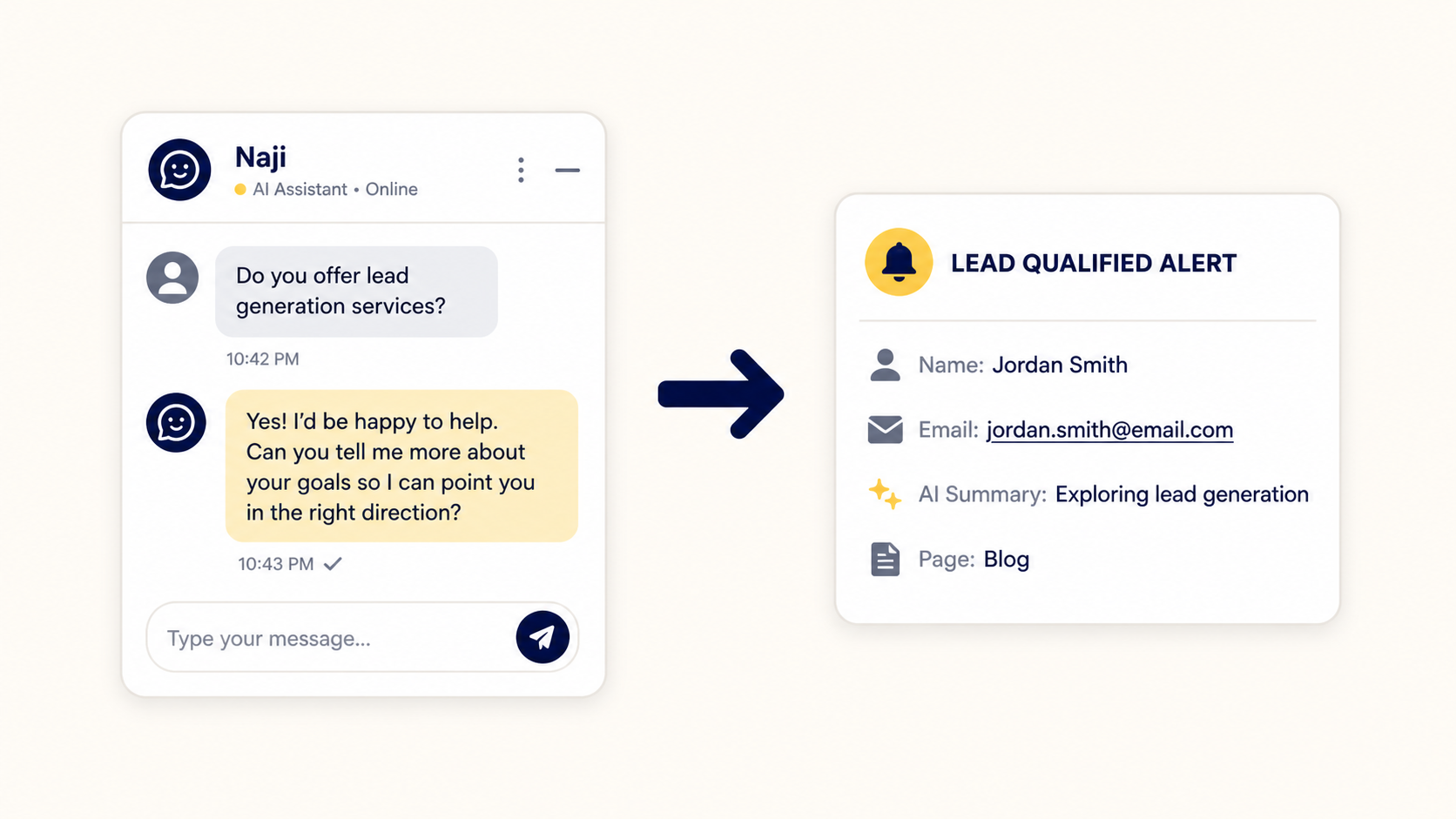
When a new visitor arrives after business hours, the question is not whether your team is working. The question is whether the visitor can still make progress.
If the only option is a contact form, the person may leave, forget to return, or contact a competitor that responds first. An after-hours customer service chatbot gives the visitor a useful next step while preserving the information your team needs for follow-up.
The short answer: keep the conversation moving
A chatbot should not pretend to be the owner, salesperson, or technical expert. Its job is narrower and more useful: answer approved questions, understand what the visitor is trying to do, capture relevant details, and make the handoff clearer.
For a service business, that can mean explaining a service, clarifying the next step, identifying a serious enquiry, and providing a booking link when the visitor is ready. The visitor receives help now, while the business receives a better-qualified conversation later.
What happens when a lead arrives after hours?
Most after-hours journeys follow one of three paths:
- The visitor submits a short form and waits without knowing what happens next.
- The visitor searches for an answer elsewhere and may never return.
- The visitor starts a guided conversation that answers basic questions and records their intent.
The third path is the opportunity. It does not require a business to promise an immediate human response. It requires a clear, grounded experience that sets expectations and keeps the lead from becoming invisible.
The goal is not to automate every decision. The goal is to prevent a genuine enquiry from becoming a dead end simply because it arrived at the wrong time.
1. Capture intent before asking for everything
Good lead capture begins with the visitor's question. A person asking about pricing needs a different conversation from someone looking for urgent support or comparing service options.
Instead of presenting a long form immediately, the assistant can first understand the request and then ask for the details needed to continue. HeyNaj Flow supports flexible lead capture, so the experience can be configured as required, soft, or off depending on the business goal.
The important principle is to collect information for a reason. Name, email, phone, service interest, project details, or timing should help the next step - not create unnecessary friction.
2. Qualify the lead with useful questions
Qualification is not about interrogating the visitor. It is about finding enough context to separate a real opportunity from a casual question and to make the next human conversation more productive.
- Need: What problem is the visitor trying to solve?
- Fit: Does the request match the business's services, location, and normal customer profile?
- Timing: Is the person researching, comparing options, or ready to book?
- Next step: Should the visitor read more, submit details, book a call, or wait for a human response?
These questions can be grounded in the business's own Knowledge Vault. That keeps the assistant aligned with the services, policies, qualifying rules, and FAQs supplied during onboarding.
3. Answer questions from the business Knowledge Vault
An AI assistant is only as useful as the information it is allowed to use. HeyNaj Flow uses a private business Knowledge Vault where the company's services, pricing policy, FAQs, operating hours, service area, dealbreakers, promotions, and handoff rules can be documented.
This gives the assistant a reliable source for visitor questions instead of encouraging it to guess. When an answer is not in the approved knowledge, the safer response is to explain that a human team member will follow up.
Business owners can update their documents when services, offers, or instructions change. That makes the website assistant easier to maintain than a system that requires a developer for every wording change.
4. Turn the conversation into a useful lead summary
A captured lead should not arrive as a name and an empty notification. The more useful the context, the easier it is for the team to decide what to do next.
HeyNaj's lead workflow can include the visitor's contact details, page or source context, conversation transcript, and a concise AI-generated summary. The summary is designed to help the business understand the lead without reading the entire conversation first.
This is especially valuable after hours. By the time the team returns, the notification can show whether the visitor was exploring lead generation, asking about customer support automation, requesting a booking, or looking for a human response.
5. Make the human handoff feel continuous
Automation works best when it prepares the human conversation instead of hiding it. If the visitor asks for a person, reaches a sensitive question, or needs a decision outside the assistant's scope, the flow should route them clearly.
A strong handoff carries context: the visitor's details, what they asked, what the assistant already explained, and why the conversation needs attention. This avoids the familiar experience of repeating the same story to a new person.
When the visitor is ready to book, HeyNaj Flow can provide the business's existing booking link, such as Calendly, Acuity, or Google Calendar. When the visitor is not ready, the assistant can capture the enquiry and set a reasonable expectation for follow-up.
6. Recover value when the visitor leaves early
Not every visitor will complete a formal lead form. That does not mean the conversation has no value.
HeyNaj Flow includes an abandonment alert path that can preserve the conversation and whatever information the visitor already provided. This gives the business a chance to understand where the visitor stopped and whether the experience needs a clearer prompt or a better answer.
Abandonment data can also improve the website. Repeated unanswered questions may become a new FAQ, a service-page revision, or a future content opportunity.
How to implement an after-hours lead flow
- Choose the first problem. Start with one high-value question, service, or conversion point instead of automating the entire website at once.
- Prepare the Knowledge Vault. Add the services, pricing policy, service area, hours, dealbreakers, FAQs, promotions, and human-handoff rules the assistant should use.
- Define the capture policy. Decide whether the assistant should request details before the conversation, gather them naturally, or keep the experience frictionless.
- Set the next-step rules. Add the approved booking link, fallback message, escalation behavior, and notification email.
- Test real questions. Ask about pricing, services, availability, promotions, off-topic requests, and human support before launch.
- Review the first conversations. Improve the greeting, knowledge, and qualification questions using real visitor behavior.
HeyNaj Flow's process is designed to be hands-off for the business owner: provide the website and brand details, complete the business information, and the system can be configured, tested, and prepared for use.
Is HeyNaj Flow free to use?
HeyNaj Flow is free to use. There is no pilot period or paid feature tier, and optional coffee support does not change access to features.
The practical answer for businesses
Leads do not stop arriving when a team signs off for the day. The opportunity is not to replace every human interaction; it is to make sure a useful enquiry is understood, recorded, and ready for the next step.
With grounded answers, flexible capture, lead qualification, AI summaries, abandonment alerts, and clear human handoffs, an after-hours chatbot can become a practical part of the customer journey - not another disconnected pop-up.
If you want to see how this approach could work on your website, Get Started with HeyNaj Flow.